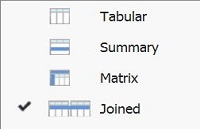
It can be tricky to understand how Joined reports work in Salesforce. For those who have experience with database queries or other report writing tools, the name Joined report can raise expectations that it will be possible to report on data joined from different objects in the one report. A way to think of joined reports is of separate block reports where the data can be optionally grouped to ‘join’ the data.
The most basic use case of a joined report is to display different views of data from the same object in the same report. For example, create an opportunity report and change the type to joined. Once the report type is changed, the report fields are grouped together in a block. Dragging fields to an area to the right of the first block will create a second block. Up to 5 blocks can be created in the one joined report.In this example there are 3 blocks and each block will have it’s own filter criteria:
Each will display the resulting data in its own report block.
This is essentially three separate opportunity reports, each with their own set of fields and filters. The next step is to add a cross block grouping field. In this case we have added the Opportunity Owner. Now we can see how we can use this to group the data across the reports.
What Certification are you studying for now?
Focus on Force currently provides practice exams and study guides for sixteen certifications
View All Courses 
Martin Gessner is the Founder of Focus on Force.He has spent over 10 years working in various Salesforce roles including business analyst, project manager, consultant and solutions architect. Along the way he has earned twelve certifications, published “The Salesforce Career Playbook”, and helps Salesforce professionals learn more about Salesforce, develop their career and prepare for certifications.